Unlock your Samsung device’s potential
Samsung Odin serves as a pivotal tool for enthusiasts looking to flash custom ROMs and firmware onto Samsung devices. Developed by Samsung, this utility is particularly valuable for those familiar with advanced device management. Intended primarily for advanced users, Odin provides an accessible pathway for beginners willing to invest time in research and exercise caution. It is a lightweight yet powerful program that allows for effective processing of Flash Custom Firmware.
Top Recommended Alternative

A smarter way to flash firmware
Flashing firmware through Odin allows users to install a variety of ROMs, ranging from stock firmware to custom builds, across a wide range of Galaxy smartphones and tablets. The utility supports various firmware types, including .tar and .tar.md5 formats. Users must ensure they have compatible files, which necessitates an understanding of the specific device model and firmware requirements.
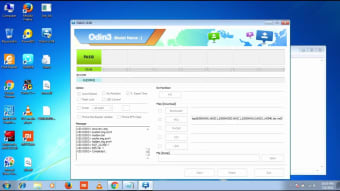
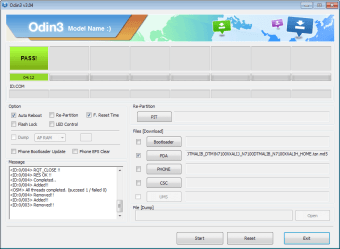
The interface features a straightforward Graphical User Interface (GUI) that allows for easy navigation once users after familiarization. After connecting the device via USB, Odin automatically detects it, indicated by a blue or yellow COM port. However, users must enter download mode before initiating the flashing process, which involves a specific button combination depending on the device model.
Powerful features with caution
Odin not only facilitates the installation of official firmware updates but also enables access to custom ROMs, bootloaders, and recovery images. This makes deeper customization and enhanced functionality for Samsung device owners easier. However, the flashing process can be risky, with potential consequences including bricking the device, rendering it inoperable, or voiding warranties if not executed correctly.
The program also provides support for a wide range of Samsung devices, including Galaxy smartphones and tablets, the ability to flash stock and custom firmware reliably, and is a lightweight and portable software, requiring no installation. In addition to these features, users should be aware of the steep learning curve associated with Odin. Beginners may find themselves challenged by the technical nuances of the firmware flashing process. The lack of formal documentation necessitates reliance on community forums and trusted tutorials for guidance.
Expert control with important limits
Samsung Odin is a powerful tool for those familiar with Android device management, enabling significant control over one’s device software. While it offers numerous advantages in flashing capabilities and a wide compatibility spectrum, users must approach it with caution and thorough preparation to avoid making critical mistakes. For advanced users and tech enthusiasts looking for customization, Odin can be an invaluable aid, but it demands respect for its complexities and risks.